Free Video Call Service — No Sign-Up, Just Share a Link
Private video call online — free, browser-based, no download
Start a one on one video chat in seconds. Share a link, connect instantly — works on any device, no account needed.
Start video callOr join an existing video call →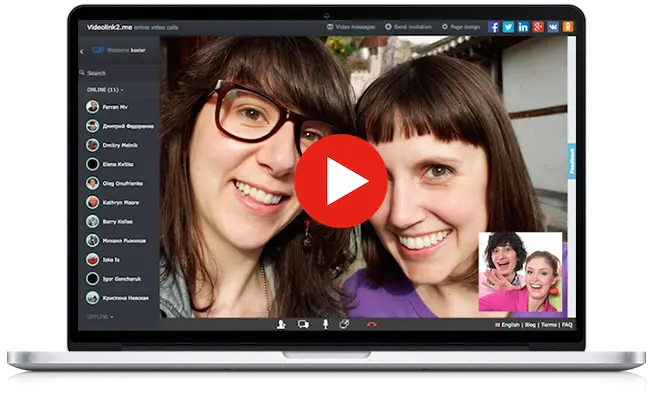
How it works?

Allow to use your camera
Click 'Start video call' and grant camera and microphone access when your browser asks. No downloads or plugins needed.

Invite other participants
Copy the room link and send it to anyone you want to talk to — via email, chat, or any messenger.

Get them connected via opening the link in invitation
Participants open the link in their browser and join instantly. The video call starts automatically — no account required.
Learn more: the complete guide to video calling without signup →
Who uses Videolink2me?
Our web video call service works for any situation where you need face-to-face conversation without the hassle — a free video call website that runs right in your browser:
Video chat with friends and family
Connect with relatives anywhere in the world. Share a link via WhatsApp or email and they join without downloading anything — perfect for grandparents and less tech-savvy users.
One on one video chat
Run a private 1on1 video call between two people with end-to-end encryption. No third parties, no recordings, no intermediary servers — just you and the other person.
Quick work meetings
No scheduling, no calendar invites needed. Create a room, share the link, and start the meeting in 10 seconds — a free video call online with nothing to download.
Video calls without registration
Videolink2me is a private video call online free of charge — video chat online without registration. You and your guests don't need to create an account or provide an email — just open the link and the call begins. No registration, no download.
From phone, tablet, or desktop
Works on Android, iPhone, iPad, Mac, Windows, and Linux. All you need is a modern browser — Chrome, Safari, Firefox, or Edge.
What can I do?

Start in seconds
Don't waste time on registration procedures, just open the link to start new conference

Share screen
Present your screen without any additional plugin installations

Send instant messages
Exchange instant text messages during the call
What our users say?
"Love it, can see and talk to my grandchildren"
— Denise Roderick
"Works perfect, very little setup to be up and running"
— Tor Torrance
"I needed Skype but with more bandwidth, but this delivered that and more"
— Armand Angelucci
Your Personal Video Link
One link for all your video calls
Get a permanent, memorable video link like videolink2me.com/yourname — share it once, use it forever.
Make it yours — upload your own logo and background image to match your personal or professional brand. Your room, your style.
Visitors knock before entering, so you always control who joins. Accept or decline each call right from your browser.
Create your video linkCompletely free — no credit card, no trial, no limits.
Example
Batman chose videolink2me.com/batman for citizens of Gotham to reach him — with his own logo and a custom background.
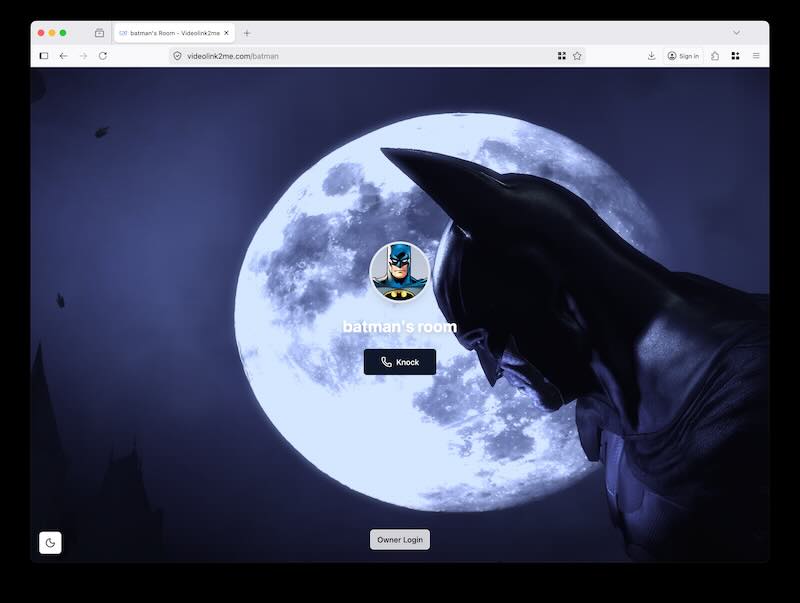
In case of emergency, anyone can just knock on Batman's video link instead of using the old-school spotlight.
Why choose Videolink2me?
| Feature | Videolink2me | Jitsi Meet | Whereby |
|---|---|---|---|
| No registration required | Yes | Yes | Limited |
| No download needed | Yes | Yes | Yes |
| Personal room with custom URL | Free | No | Paid plans only |
| Knock-to-enter privacy | Yes | No | No |
| Completely free | Yes | Yes | Limited |
| Languages supported | 26 | ~20 | ~10 |